
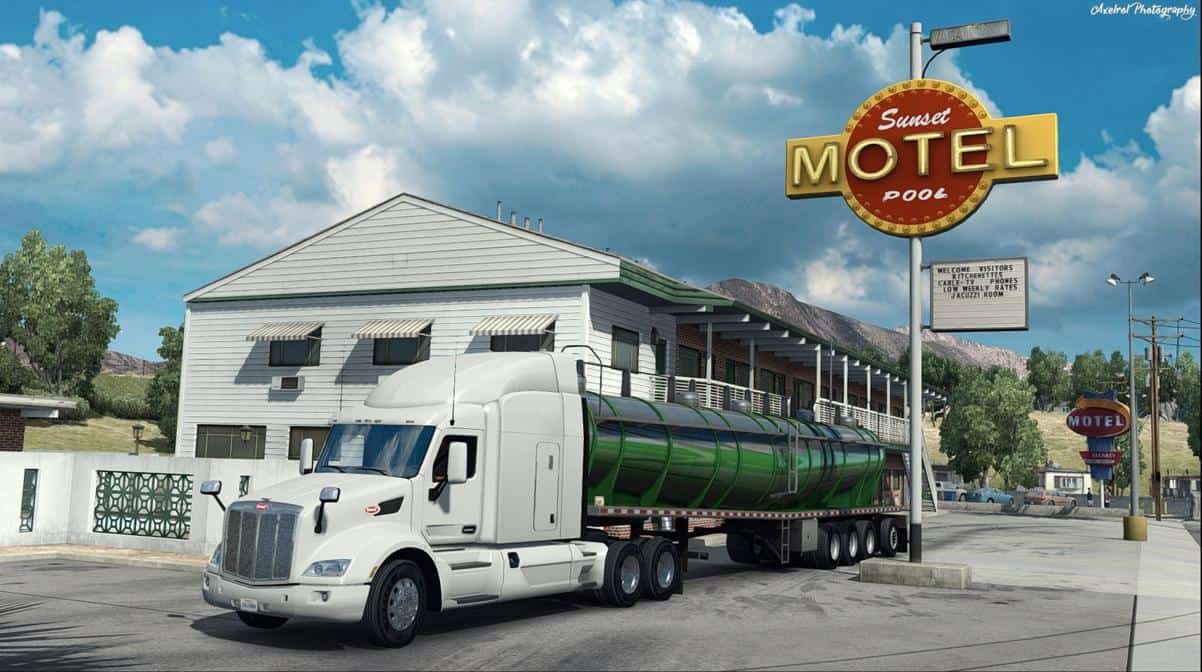
The new climate for ATS, more precise adjustment of the carry-forward fashion Weather Improvements 2.1 for ETS 2. Makes the image lighter, removing yellowness. Like all graphics modes, this mode as an amateur, but as for me, the game looks more realistic. Included SweetFX with my settings, which also changes the image (generally a little desaturated it) toward the real. I do everything on the basis of personal preferences, so everyone can look differently.
Game Version: 1.0.0s
Installation:
Unzip the archive, copy [Other] Climate.scs a folder mod, plug in your profile.
Unpack the archive with SweetFX, files from ATS SweetFX folder in win_x64. The game is to use the END button to shoot screenshots – they are saved in .bmp format in the same place where the exe file (win_x64).






The setting definitely feels a lot more realistic than the default one. I love it! 🙂
However, the Climate mod’s no longer working since the last game update, it crashes my game. And I have to run with the ugly default ones again for now. Looking forwards for a compatible update!
hw do u install the graphic mod