
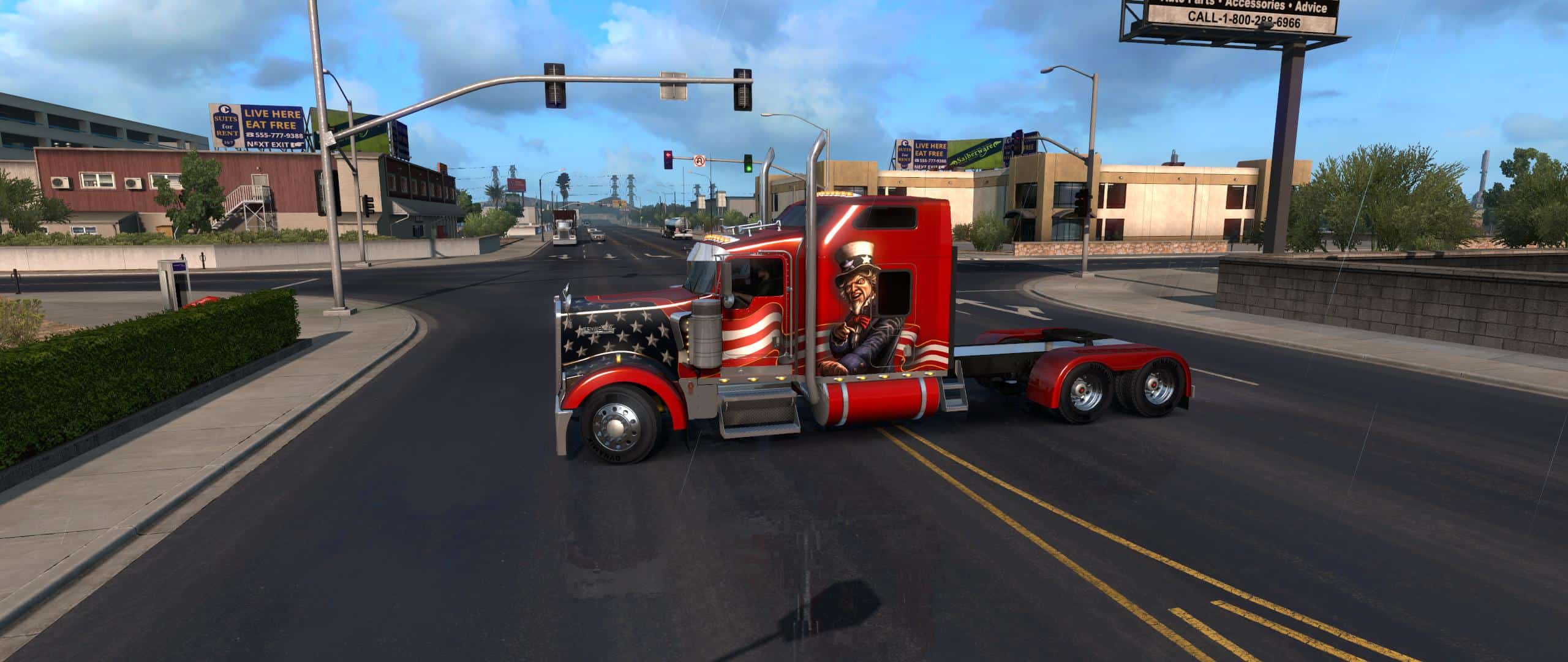
Changes in update
Fixed bug with long frame
Now the game does not crash
– Standalone
– Eventually 3 types of cabin: default (Aerocab Sleeper 72 inch)
with vents (Aerocab Sleeper 72 inch) and increased the factory (Studio Sleeper 86 inch).
— Default bossalinie cab, and frame for them was removed.
— 3 types of sleeping bag in intrieri corresponding to the cabs.
– Changed the geometry of the opening front Windows, aligned to the external model
the point of fixing of the canopy also meets the external model.
— 3 frames (265 inches) and frame 4 (275 inches), with their tanks,one custom frame (295 inches).
— Moved the saddle closer to the cab on all frames.
— 2 entirely new bumper (20 inches).
— 1 new V style visor (12-inch).
– Added the CBS station (the author odd_fellow) in interior design, repurposed materials.
– Added in salon 2 of the shift lever (author odd_fellow),
one stock and the second long, with vozmozhnostyu tuning.
— Reconfigured almost all materials and textures on the truck and in the interior.
– Made a brighter red nameplate on the hood.
— Reduce by 10 percent the size of the mirrors on the hood, I do not like these huge mugs.
— The suspension made softer on all frames, now nice ride rocking more default very oak.
— Reconfiguring the camera in the cabin, 67 fov and other settings turning the head.
— Increased the range point settings of the camera, by default it was impossible closer to the dash to install the camera.
— Replaced the default ugly model radio, model odd_fellow, set up the materials.
— Reconfigured the glow of the instruments, on-Board computer postavil of fashion author Piva.
– Added tuning “jar Pepsi..” from the pack SISL
— Painted the engine CAT yellow, on the outside of the model.
— Did the material of the headlights is separate from the Windows of the cabin.
— Set up the reflection glass in the cabin and on the external model.
Work on 1.28, 1.29





Great mod Big_Bob, the W900 needed this. Again, many thanks for sharing, and for the update! Works very well.
how do install the mods into your mod folder because there more forders
Thanks for the Update! Really like it but Can you fix it so “Accessories Mods” (Extra Parts) with work with it??
All I did was change the truck name in the Accessory Mods def folder from “kenworth.w900” to “kenworth.w900bb”, works fine.
Oh, and don’t forget to do the same in the sii files that are in the accessory folders:
(accessory_addon_data : shape01a.kenworth.w900.bumper” to “accessory_addon_data : shape01a.kenworth.w900bb.bumper”).
Do that to all of the accessory sii files. I just used a bumper sii as an example.
there’s no .scs file, how do you install it??
graab all extracted folder to mods folder. good luck bro!
Been waiting for someone to do an 86 inch sleeper. Thanks for the mod Big Bob. It could use some accessories, but still a great mod.
After download extract it then Copy file & Then Paste it in ATS Mods folder That’s all you do, It will still look like a zip file!
Installing part is too complex needs to be in one .scs file
graab all extracted folder to mods folder. good luck bro!
Would love to see more parts and a 72″ aerocab flat top sleeper!! Great truck though!! I’m running on a mac and the only issues are with the bumpers that have lights in them. They cause a crash. Other than that though no issues!
i have no sound for the truck.