Version 5.2:
💬 • Having issues with the program? Use the ‘Ranking’ button (which leads to the official website) and click the ‘Support’ button there.
⚠️ • Notice: User names will be reset due to an issue that has now been fixed.
🔊 • Notice: When switching audio, the sound might occasionally disappear while the windows are closed. To resolve this, use the ‘sdk reload’ command.
⚡ VirusTotal Audit 0/66 (100% Clean, No False Positives): The official executable has been scanned by VirusTotal (Google Cloud Security) and returned 0 detections across 66 cybersecurity authorities (including Microsoft Defender, Kaspersky, BitDefender, Avast, and CrowdStrike). This puts a definitive end to false-positive issues within the community!
⚡ New Official Windows Installer: A professional, one-click installation process that does not require Administrator privileges (securely installed in the user’s `AppData\Local\Programs` folder). It includes automatic desktop shortcut creation and supports 31 native languages.
⚡ Instant Startup Directly from Disk: No more heavy 350 MB data extraction every time you open the program. It now runs directly from the installed files, reducing startup time from 30 seconds to just 1 second!
⚡ Dynamic, Real-Time Loading: The progress bar on the startup screen now advances smoothly and in real-time as the security, cloud, and interface modules are loaded.
⚡ Full Preservation of Data & License: The installation process keeps 100% of your profiles, audio files, saved settings, and license intact on your computer. 🎨 New Loading Screen (Modo1 Splash Screen): A revamped, professional startup sequence featuring the official high-definition Modo1 emblem, a sleek, modern progress bar, dynamic stage-by-stage status updates, and carefully calibrated timing for an elegant visual experience.
🎨 Ultra-Fluid Interface Navigation: Instant transitions between tabs, powered by a continuous rendering architecture. We’ve eliminated all flickering and black-screen flashes—even in Light Mode—ensuring a 100% smooth, instantaneous, and lightweight browsing experience.
🎨 Redesigned Legal Terms & MIT License: A fully modernized corporate modal presented via semantic cards, offering complete transparency regarding the proprietary Modo1 code architecture, the integration of the open-source `ts-fmod-plugin` library, and the terms of the MIT License.
⚡ Next-Generation Performance & Efficiency: Deep structural optimization that drastically reduces CPU and memory usage, delivering instant interface responsiveness and smooth loading—even on modest hardware.
🛡️ Intelligent Anti-AFK Protection: Robust monitoring for extended inactivity, featuring a warning at the 3:50 mark followed by a 10-minute countdown—with notifications fully localized across all 31 supported languages.
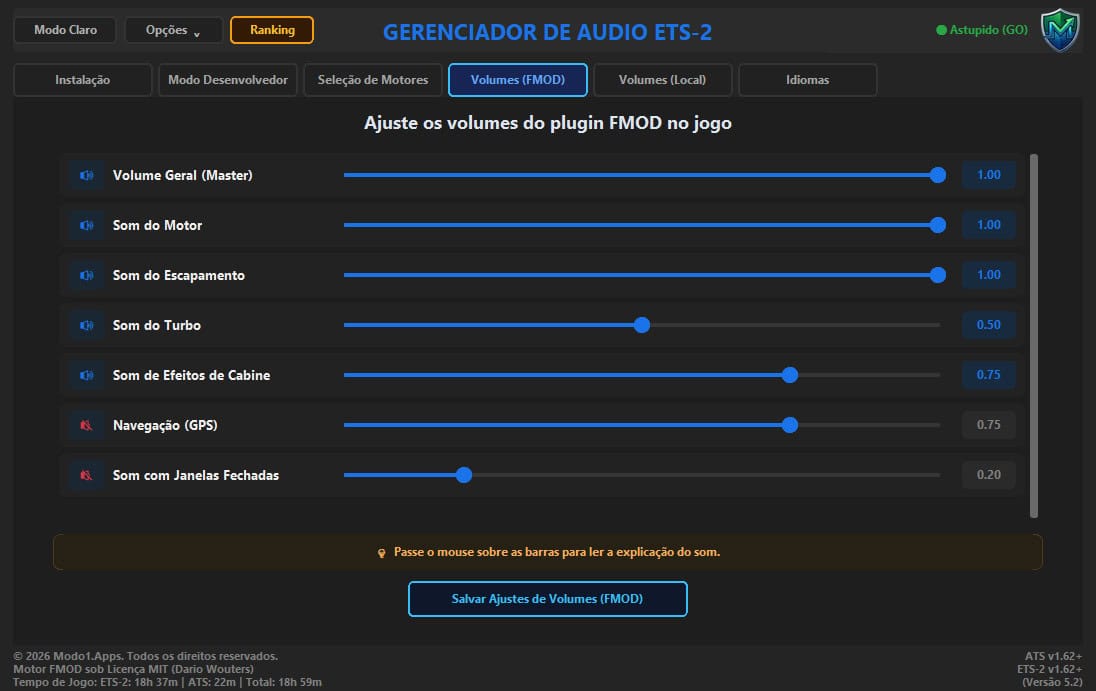
🎨 Complete Interface & Visual Redesign: Every tab has been updated with a modern aesthetic, featuring rounded-corner containers, crisp Segoe UI typography, and refined contrast settings for both Light and Dark themes.
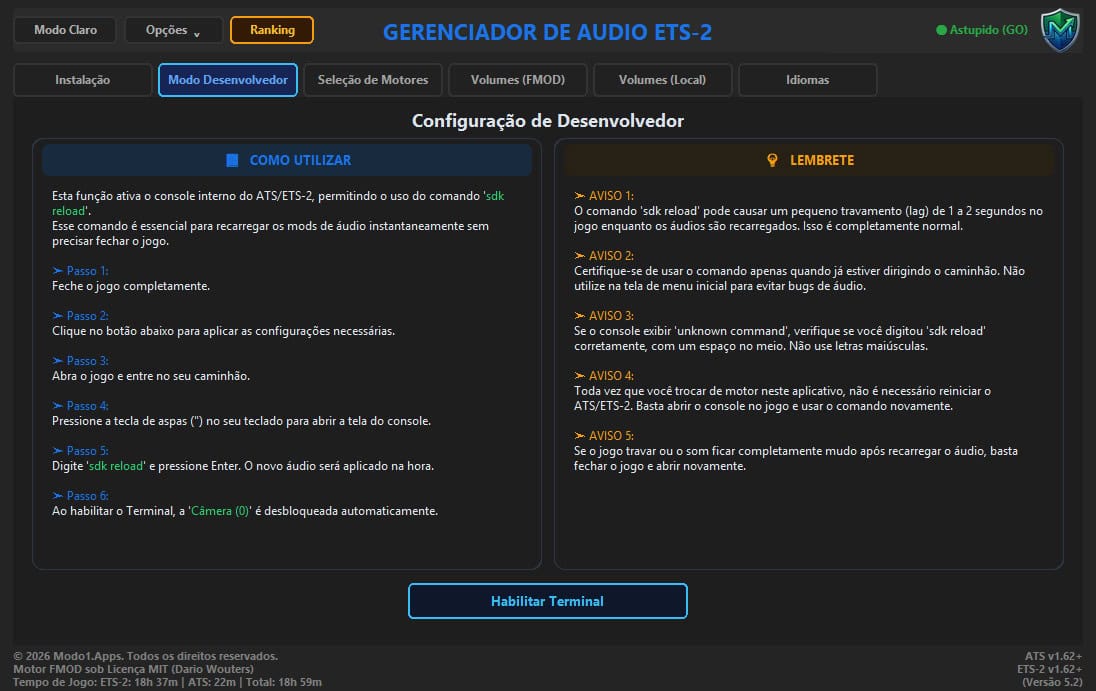
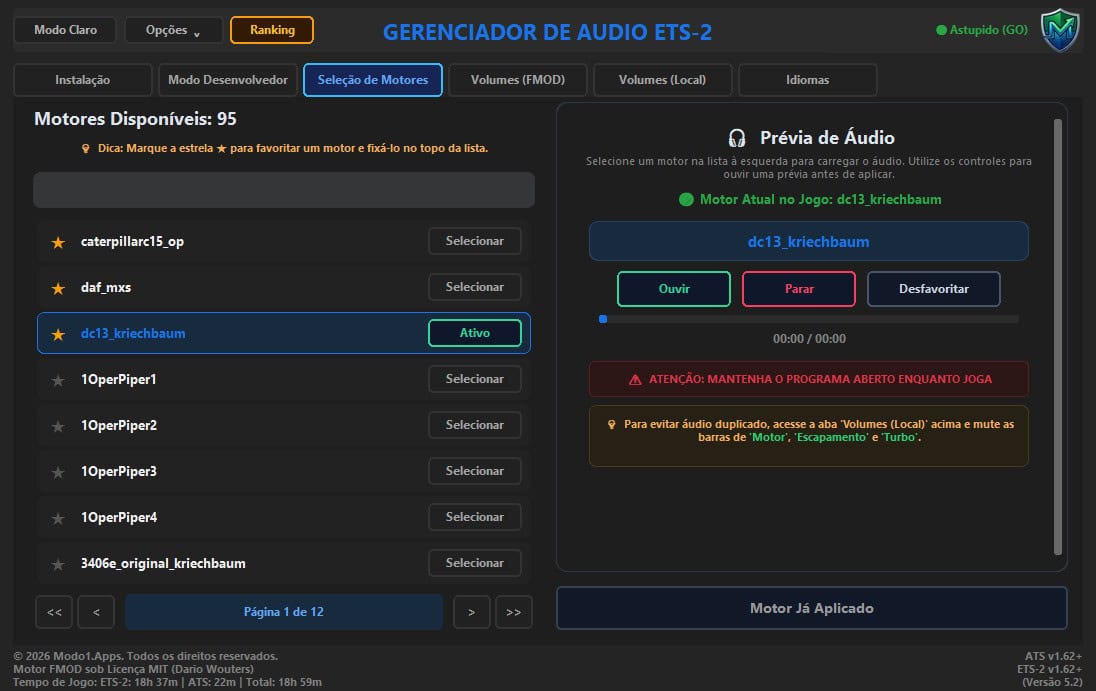
🎨 New Engine Selection Tab (50/50 Grid & Player Deck): A symmetrical 50/50 split-screen layout, balancing the engine list with a new, independent audio player deck—complete with integrated Play, Stop, and Favorites controls, plus a fluid playback progress bar. 🎨 New Developer Mode Tab (Game Console): Redesigned with a 50/50 grid layout, featuring modern “pill-style” cards for guides and reminders, step-by-step instructions, and a visual highlight for the ‘sdk reload’ command.
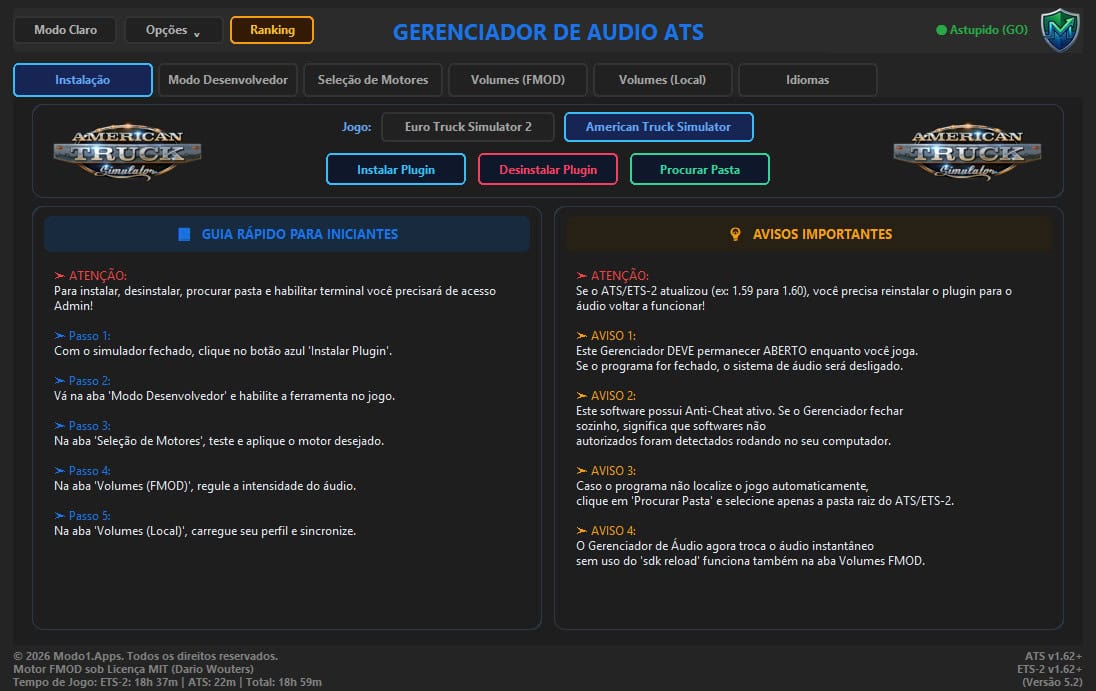
🎨 New Installation Tab (Symmetrical Control Layout): A modern top section featuring a symmetrical arrangement of official ETS-2 and ATS logos, perfectly centered simulator and plugin action selectors, and a balanced 50/50 layout for the lower cards.
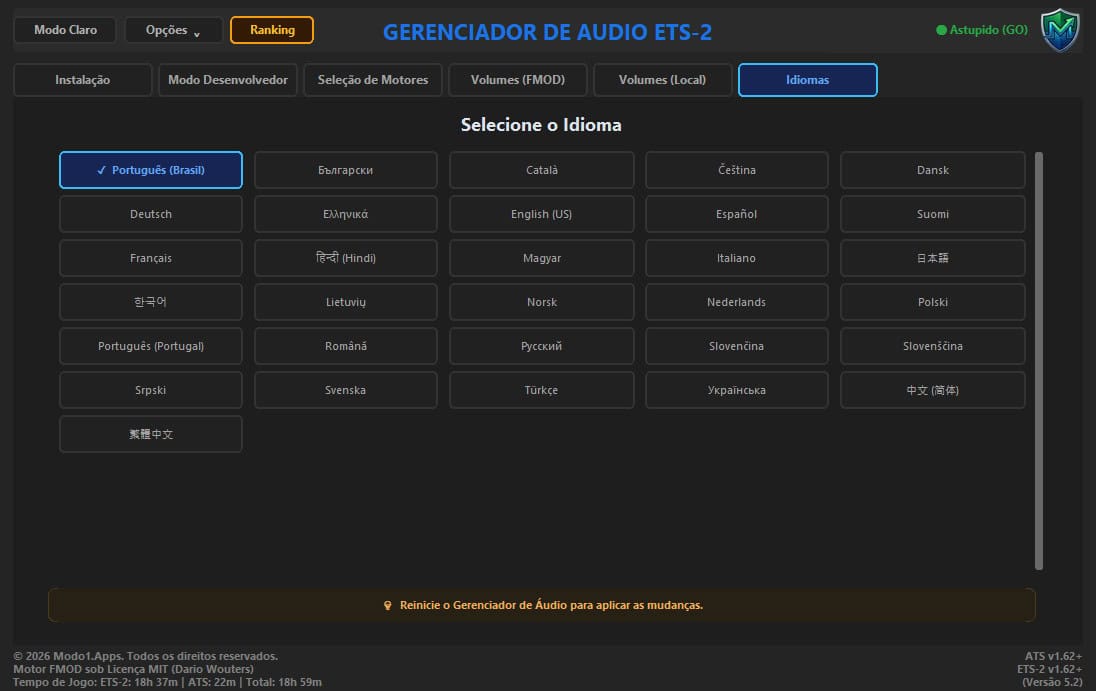
🎨 New 5-Column Language Tab: A modern, responsive horizontal grid displaying all 31 supported native languages, complete with smooth scrolling.
🎨 Visual Highlighting for Volume Settings (Local): Intelligent green highlighting for ‘Engine’, ‘Exhaust’, and ‘Turbo’ volume settings, helping to prevent audio duplication issues with FMOD.
⚡ Native Support for 4K Monitors & High DPI Scaling: A 100% responsive interface adapted for any resolution or Windows scaling setting—no cut-off elements or unwanted scrollbars.
🌐 Global Support with 31 Native Languages: The manager is now fully internationalized! The entire interface—including tabs, buttons, audio controls, guides, and notifications—has been natively translated into the 30 official Steam languages (Brazilian and European Portuguese, English, Spanish, German, French, Italian, Russian, Simplified and Traditional Chinese, Japanese, Korean, Polish, Dutch, Swedish, Norwegian, Finnish, Danish, Turkish, Czech, Hungarian, Romanian, Greek, Bulgarian, Ukrainian, Catalan, Lithuanian, Serbian, Slovak, and Slovenian) plus Hindi, with automatic detection based on your Windows language settings. 🎨 New Dedicated Language Tab: The old language dropdown selector has been removed, as it did not support a stable scroll bar. In its place, a…