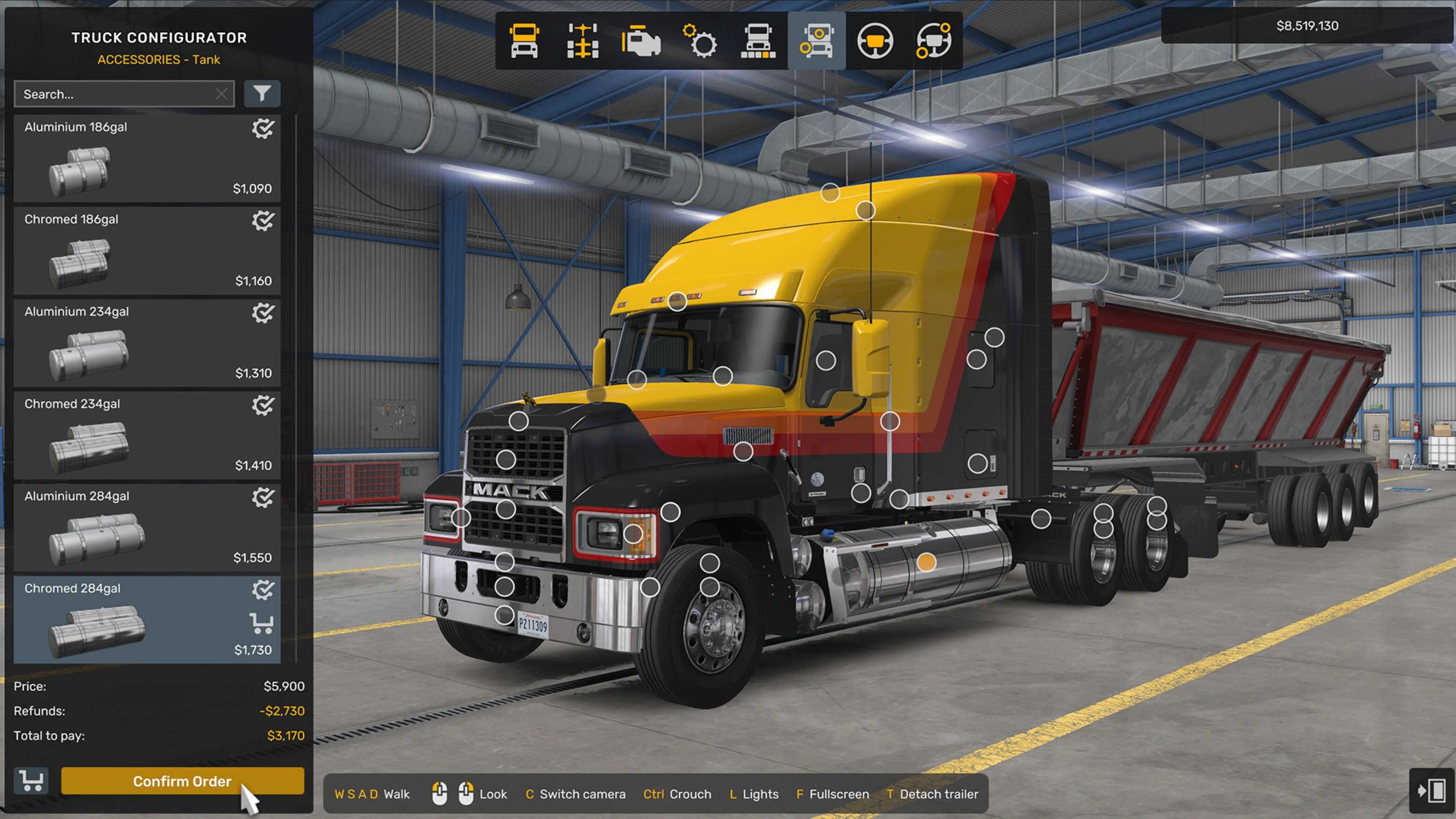
The 1.58 update for American Truck Simulator introduces a series of improvements to the Truck and Trailer Configurator, along with updates to the Explorer interface. These changes focus on usability, making customization more straightforward whether using a mouse or controller.
Rather than redesigning the system entirely, the update refines existing menus. Navigation is clearer, tooltips are more helpful, and certain actions that previously required multiple steps have been simplified.
Easier Navigation and Better Feedback
The configurator now provides clearer visual feedback when selecting parts and making changes. Menus respond more intuitively, and switching between customization categories feels smoother.
For controller users in particular, these adjustments make a noticeable difference. Moving through options, selecting components, and previewing changes no longer feels as clunky as before. Small usability tweaks across the interface help reduce friction during longer customization sessions.
Apply to All Compatible Feature
One of the most practical additions is the “Apply to All Compatible” option for paintable wheel accessories. When changing colors for elements like rims, hubs, bolts, or covers, players can now apply the same setting across all compatible parts at once.
Previously, each accessory had to be adjusted individually, which became repetitive when customizing multiple wheels. This new option speeds up the process and keeps visual consistency without extra effort.
Explorer Improvements
The Explorer section also benefits from similar refinements. Browsing available parts, previews, and configurations is now more organized, with better clarity on what options are compatible with each truck or trailer.
These updates make it easier to experiment with different setups and quickly switch between configurations without losing track of selections.
Customization Across Different Games
Customization systems continue to evolve across many games, especially those with competitive or progression based elements. In titles like Marvel Rivals, players often look for ways to improve performance or unlock advantages more efficiently. Services like Marvel Rivals Boosting, often promoted through platforms like this site, focus on accelerating progression rather than visual customization.
While the goals differ, both systems highlight how players value control over their experience. In American Truck Simulator, that control comes through detailed vehicle customization and improved tools that make adjustments quicker and more accessible.
Small Changes, Better Workflow
The configurator improvements in 1.58 do not introduce new parts or major features. Instead, they streamline how players interact with existing systems. From quicker color adjustments to smoother navigation, the update reduces repetitive steps and makes customization more enjoyable overall.