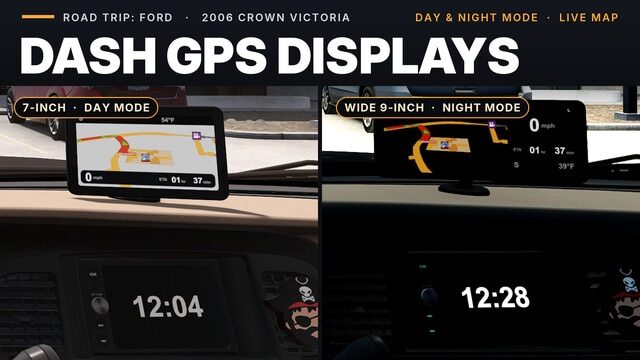
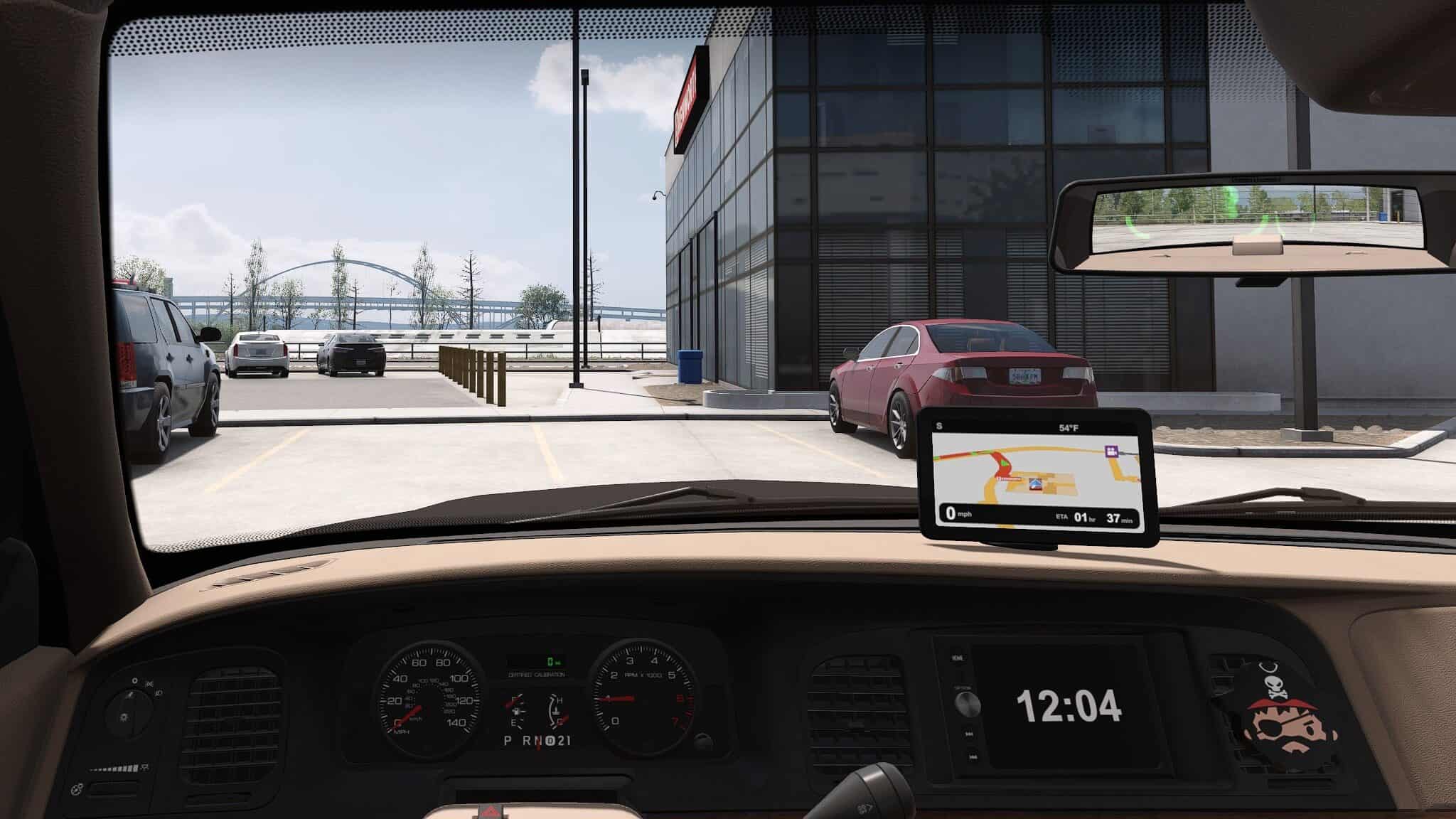
This mod adds an aftermarket touchscreen GPS unit to the 2006 Crown Victoria. It sits on top of the dash above the centre stack, just as you might fit one in real life.
Two units to choose from
- Dash GPS Display 7″
- Dash GPS Display Wide 9″
Four pages on each unit
- Navigation: A live map with your speed, speed limit, remaining driving time (ETA), heading, and outside temperature.
- Map Only: A full-screen map with the speed limit.
- Home: A trip meter, heading, and temperature.
- Standby: An open-road image with the heading and temperature.
Switch pages using the game’s Infotainment Display Mode control. You can find the key binding under Options > Keys & Buttons.
Day and night modes
- Headlights off: Day mode, with a light map and a daytime standby image.
- Headlights on: Night mode, with a dark map, a moon-and-stars standby image, and a small moon indicator on the screen.
- Parking lights only: The display stays in day mode.
Screen brightness follows the game’s dashboard backlight setting. The display switches off when the car’s electrics are off.
The factory screen becomes a clock
While this mod is active, the Crown Victoria’s factory centre screen displays a large clock in place of its small map. This change applies whether or not a GPS unit is installed, so the GPS units themselves do not include a clock.
Where to find them
Visit any service or upgrade shop, then go to Interior Accessories > Hanging Items. The GPS units use the mount point by the rear-view mirror, so you cannot fit a GPS unit and a hanging accessory at the same time.
Requirements
- Road Trip: Ford DLC with the 2006 Crown Victoria.
- Game version 1.61.
Good to know
- Speed and temperature use your game’s selected units: mph or km/h, and °F or °C.
- ETA shows the driving time remaining to your final destination in hours and minutes.
- The media card and app icons on the Home page are decorative only.
- This mod works alongside the Mustang version, as the two mods share no files.
- The mod replaces one small Crown Victoria interior definition file. If another mod changes the Crown Victoria’s interior, place this mod above it in the load order.
- Remove the GPS unit from your car before unsubscribing.