
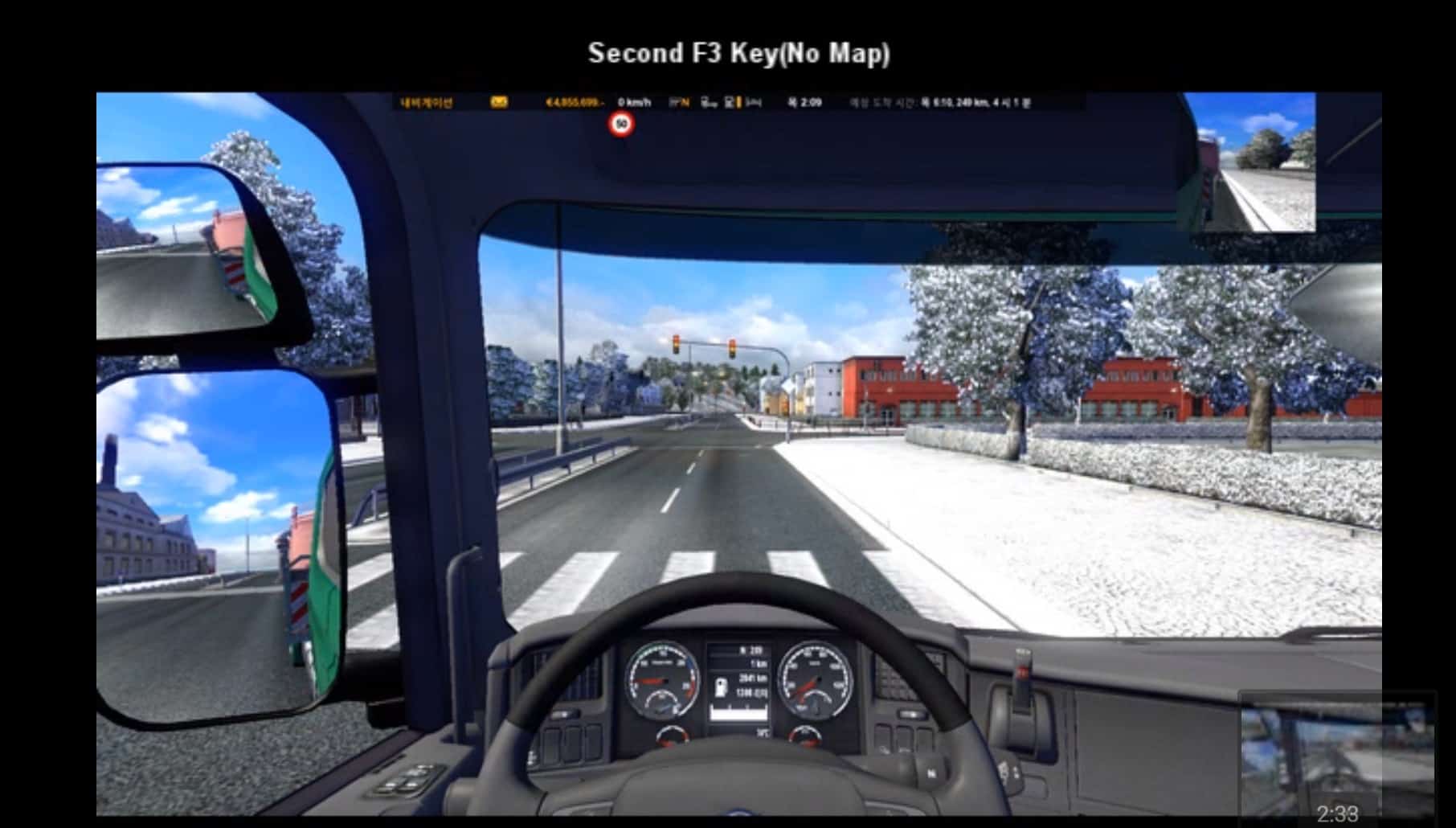
Usage
ㆍ KAAC : single monitor, dual monitor, tripple monitor
※ Keep Aspect All Center(KAAC)
New in v4.1
ㆍAdded Weigh Service
New in v4.2
ㆍFixed Right Top Weigh Service
v4.2 [ETS2 v1.22∼]
ㆍ Compatible [ETS2 v1.22∼]
ㆍ F1 tutorial deletion, F1 Tutorial Crash Bug Fix
ㆍ Added [Keep Aspect All Center(KAAC) Option]
ㆍ Added [General Small Map(GSM), Ordinary Normal Map(ONM), Special Big Map(SBM) Option]
ㆍ Added [Center Bottom, Center Top, Right Edge, Right Top Option]
ㆍ Added [1 Line Text Bottom(1LTB), 1 Line Text Top(1LTT) Option]
ㆍ Added [3 Line Text Bottom(3LTB), 3 Line Text Top(3LTT) Option]
ㆍ Added [No Frame(NF), With Frame(WF) Option]
ㆍ Added [Map Black Background(MBB), Map Clear Background(MCB) Option]
ㆍ Added [Text Black Background(TBB), Text Clear Background(TCB) Option]
ㆍ MBB & TBB(half transparency), Running Line Position(Center Middle)
ㆍ Added [First F3 key(With Map), Second F3 key(No Map) Function]
ㆍ F6 ∼ F8 Window [With Frame -> No Frame]
ㆍ 200 KAAC Mods[GSM(80) + ONM(80) + SBM(40)]
ㆍ Total 200 Mods(Please use only the one mod that you like)
※ F2 Mirror Mod Deletion
Delete hud_left.sii and hud_right.sii in ui Folder
※ ui Folder is in *.scs file.(Please use WinRAR)





this mod does not work route adviser collect
Hello! This Mod works. I use this file : zzzzzzzzzz_Route Advisor_KAAC_GSM_Center Top_3LTT_NF_MCB_TBB_v4.2.scs
Unzip only one SCS-File into the Modfolder.
Why can’t I see trip hours or miles
Can you do a tutorial how i must delete the hud_left.sii and hud_right.sii files pleas