
SYSTEM REQUIREMENTS
– Windows 10 or 11 (64-bit), DirectX 11, single-player mode.
– This release version of the plugin has been verified for ATS 1.62+ and ETS2 1.62+.
– The plugin may require an update following a game update.
INSTALLATION AND UPDATING
1. Close the game.
2. Run `MDP_Setup.exe`. Select “Install” or “Update” for the relevant game.
3. Launch the game, attach your own trailer, and open the Jobs menu → Multidrop.
The installer places `mdp.dll` into the `\bin\win_x64\plugins` folder. The DLL contains the user interface, images, and cargo-securing data for both games. The plugin loads the interface automatically; there is no need to activate it via the Mod Manager.
If the installer prompts you to remove data from a previous installation, select “Keep” to preserve your plugin log and job history. When upgrading from an older version of MUP, a backup file named `mup.dll.mdp-backup` may remain next to `mdp.dll`. The installer removes the old `mup.scs` archive and deletes references to it from any profiles it is able to edit. If a reference to MUP remains in a profile saved in binary format, please remove it manually via the in-game Mod Manager.
The installer supports English, German, French, Spanish, and Russian. By default, it uses your Windows system language (if supported) and respects your chosen Windows theme. HOW TO COMPLETE A TRIP
1. Attach your own trailer (one that is supported by the plugin).
2. Open the “Jobs” menu → “Multidrop.” Select a job and use the arrows to set the unloading order. The job entry will initially display an image of the first load. Hover your cursor over it to view the remaining loads in the sequence in which they will be unloaded.
3. Set a route to the pickup company using your in-game navigation. On the job marker, select “Multidrop” under the “Cargo Market” section to accept the job and load your trailer. You can also select a job directly while at a depot. (Note: The standard “Cargo Market” menu only shows regular jobs with a single unloading point.)
4. Follow the navigation route to each recipient. Park as indicated by the game, turn off the engine at the unloading site, and press “Enter” when the prompt appears. For intermediate stops, you will receive payment as each delivery is completed. After the final unloading, the game will display the standard delivery results screen.
The “?” button next to the “Multidrop” heading toggles the display of numbered hints. You can also access the “Multidrop” menu via the bottom navigation bar. The game may pause briefly when you open the “Multidrop” menu; this is because the plugin is generating a list of trips with multiple unloading points.
You can combine up to five deliveries into a single trip. In the “Current Job” section, each delivery is assigned its own separate page. After each intermediate unloading, the plugin updates the information regarding the remaining cargo and payment, and also adjusts the route in your navigation system. Any waypoints you have added to the map manually will be preserved. The “Reset Route” command restores the route to the remaining unloading points.
The parking setting selected in the game applies. If “Always Select” mode is enabled, you can choose a parking spot or skip parking altogether when at a base marker. Once a parking spot has been assigned at an intermediate base, new job offers for that location are hidden. After unloading at that base, they remain hidden for the duration of the trip.
Your balance, the value of Multidrop jobs, and delivery results are displayed in the currency selected in your game settings. The game determines the exchange rate and number formatting. Payouts are credited in the game’s internal currency.
COMPATIBILITY
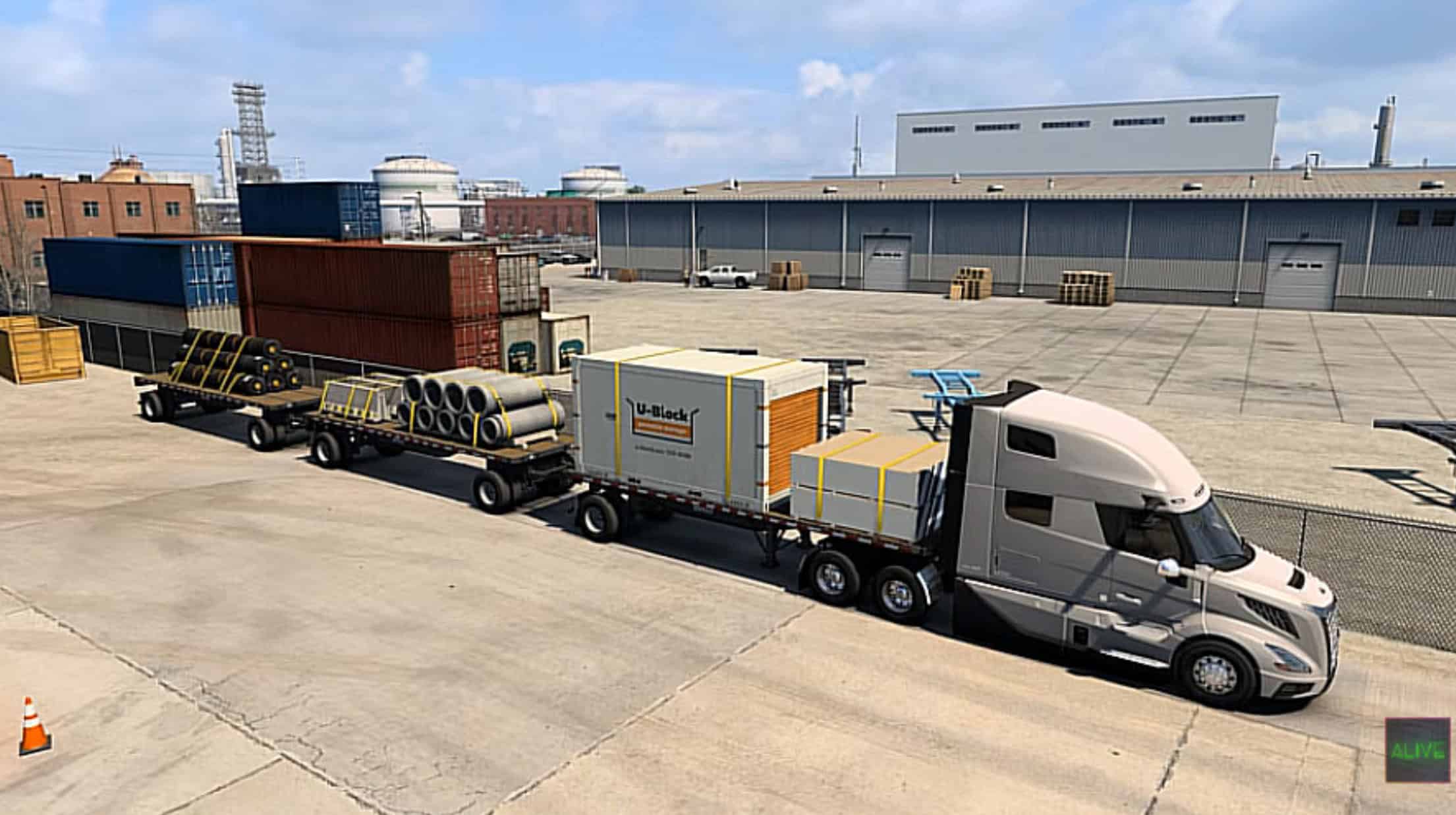
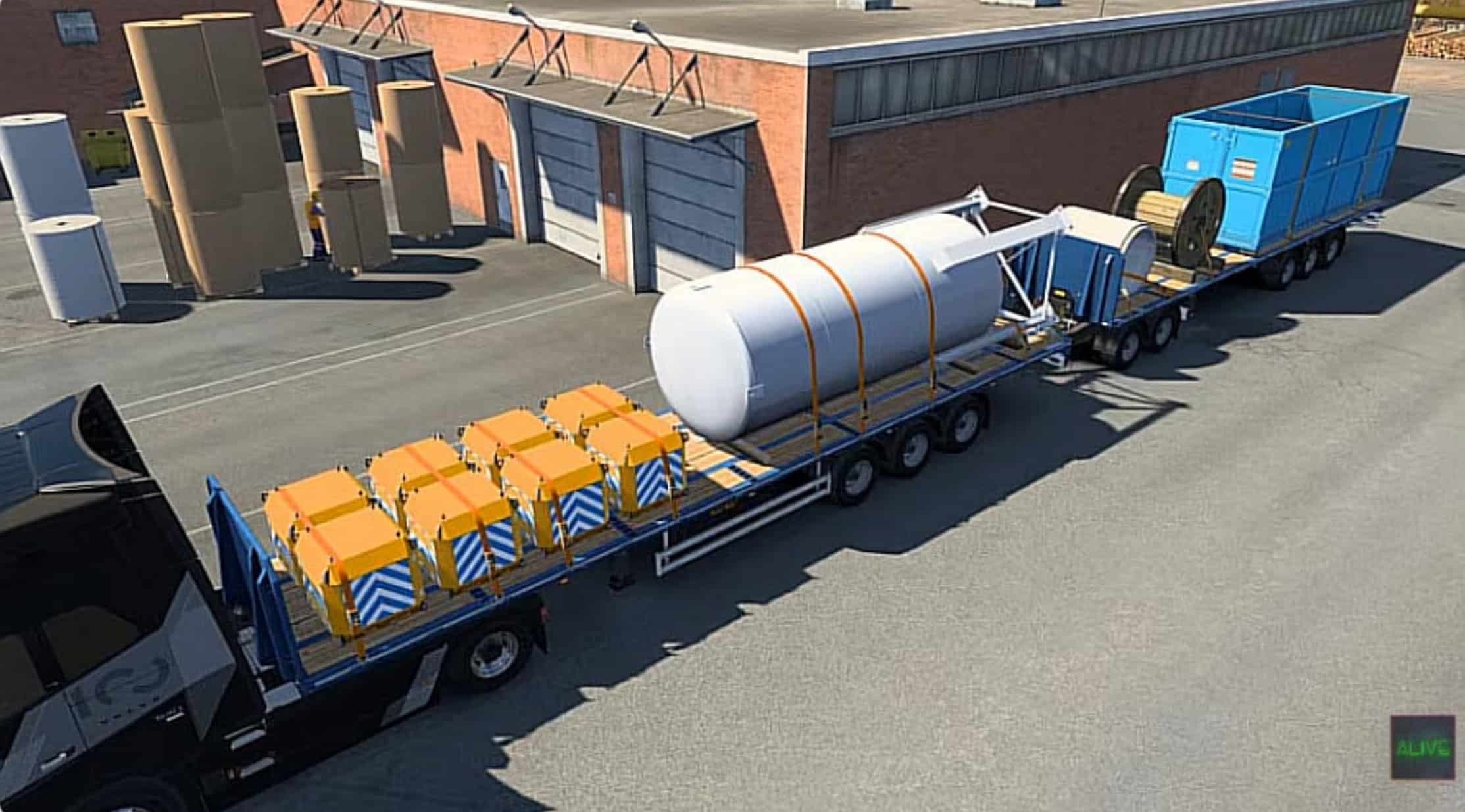
– In enclosed trailers (curtainsiders, refrigerated trailers, and dry vans), cargo is transported as separate batches. On supported open-deck trailers, different cargo items are visible simultaneously.
– When selecting jobs for a refrigerated trailer, the Multidrop system prioritizes chilled and frozen goods, followed by other food products.
If it is not possible to assemble a trip consisting primarily of food products from the jobs available at the departure city, a single alternative option may appear in the list.
Empty pallets are excluded for refrigerated trailers. For dry vans, they are used as a fallback cargo option when no other choices remain in a city.
– Supported open-deck trailers include flatbeds, drop decks, low-loaders, and certain multi-trailer combinations. In ETS2, compatible drop-side trailers are also supported. The list of available jobs depends on the trailer type, available deck space, load capacity, and available securing points. – In the ByJonRuda USA Trailer Pack, the plugin works with compatible configurations of Great Dane, Manac Flatbed, and Lowboy JR trailers. The Livestock, Polar Tanker, and Wilson Hopper trailers are not supported. In the EU Trailer Pack, the Schmitz refrigerated trailer and the Vogelzang curtain-sider semi-trailer are supported.
– The “Cooling Tower” cargo has been excluded from new “Multidrop” job offers.





Can i get the passwords please.